

High protein

See how much protein is really in your food

Scan the barcode with Bite Insight, a free app for UK supermarket food, and see the protein per 100g with a rating from Low to Very High. Add High Protein to your profile and it also picks out the added sugars and starches that pad out a lot of protein snacks, like glucose syrup and maltodextrin. Ratings are per 100g, so allow for how much you’ll eat.

Protein is on every pack now,
which makes it harder to choose

High protein yoghurt, bread, crisps, even water. The word on the front doesn’t tell you much. Some of these products are a good source. Others are a sweet snack with a few grams of protein added, and the back of the pack is the only way to tell them apart.

0
of UK shoppers say they’re trying to eat more protein

Supermarkets have filled the shelves to match. Sainsbury’s reported searches for high protein meals up more than 1,200% in a year. Plenty of what’s on offer is worth buying, but not all of it.

0
of the calories have to come from protein for a “high protein” claim

That’s the legal line in the UK, and “source of protein” needs 12%. The rule only looks at protein’s share of the calories, so a product can pass it and still be high in sugar.

0
a day is the UK minimum for an average man

The UK reference is 0.75g of protein per kg of body weight, about 45g a day for an average woman. Most adults already eat more than that. Older adults and people doing regular strength training may need more.

Quick guide

How to check the protein in food at the supermarket

Every UK pack lists protein per 100g in the nutrition table on the back. That’s the number to compare. Claims on the front follow legal rules, but they don’t tell you how much sugar or how many calories come with the protein. You can let the app read the label for you, or check it yourself.

With Bite Insight

Let the app read the protein

  1. Add High Protein to your profile

    It’s under diets and lifestyles, called High-Protein / Fitness, and you can add it when you sign up or later in settings. Once it’s set, Protein is the rating you see after a scan. The Nutrition tab gets stricter too: under 10g of protein per 100g counts as low, and only 20g or more is marked Good.

  2. Scan the barcode

    You get a Protein rating from Low to Very High, worked out from the protein per 100g. Unlike most ratings in the app, more is better, so High and Very High are green. Under Flagged ingredients you’ll see added sugars and refined starches, like glucose syrup, maltodextrin and cornflour, which often pad out protein snacks.

Scan your first product free
Your protein rating
  • Low
  • Moderate
  • High
  • Very High

Rated from protein per 100g. Higher is better.

Checking the pack yourself

Four checks on the back of the pack

Compare protein per 100g

Put two products of the same kind side by side, like two yoghurts or two bars, and compare the protein per 100g. It’s measured the same way on every pack. The per portion figure on the front depends on the maker’s idea of a portion, which can be generous for a bar and small for a cereal.

Look at what comes with it

Check the calories and sugars in the same column. A quick test: multiply the protein by 4 and divide by the calories. A bar with 20g of protein and 220 kcal gets 36% of its energy from protein. One with 10g and 250 kcal gets 16%, and the rest is mostly sugar and fat.

Plain foods often do better

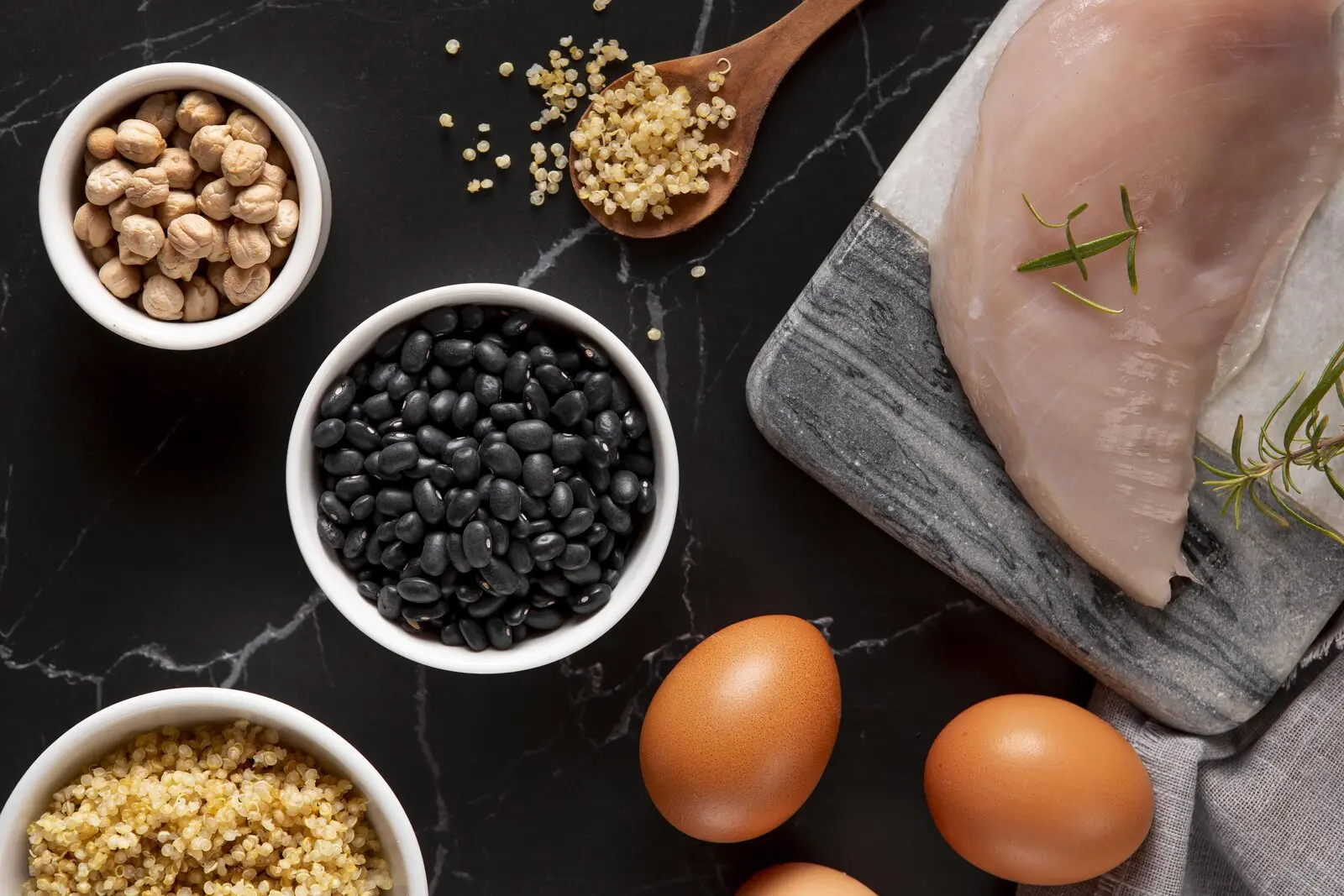
Tinned tuna, chicken, eggs, lentils, tofu, cottage cheese and plain Greek-style yoghurt are high in protein with nothing added. Flavoured “high protein” versions of yoghurt and dessert often add sugar or sweeteners and a thickener. Worth comparing with the plain one.

Read the small print on bars

Many protein bars are sweetened with polyols like maltitol or sorbitol. If a food has more than 10% added polyols, UK law says the pack must warn that eating too much may have a laxative effect. If you see that line, go easy.

More protein isn’t right for everyone

If you have kidney disease, you may have been told to keep your protein down, and a high protein diet can make gout worse. Bite Insight warns you if you add High Protein alongside chronic kidney disease or gout in your profile. If you have either, check with your GP or dietitian before eating more protein.

Where the protein shows up on a UK label

Protein per 100g

Where to find it
Nutrition table on the back or side of the pack, near the bottom
What to look for
The grams per 100g. Use it to compare products of the same kind.

“High protein”

Where to find it
Front of the pack
What to look for
At least 20% of the calories come from protein. It says nothing about sugar or fat.

“Source of protein”

Where to find it
Front of the pack
What to look for
At least 12% of the calories come from protein. A lower bar than “high protein”.

Protein per portion

Where to find it
Front of the pack, and the second column of the nutrition table
What to look for
The portion size it’s based on. Check it matches how much you’ll eat.

Where the protein comes from

Where to find it
Ingredients list, which runs from most to least by weight
What to look for
Milk protein, whey, soya or pea protein near the start. If they’re near the end, there isn’t much.

Sugars and sweeteners

Where to find it
Nutrition table and ingredients list
What to look for
Sugars per 100g, plus glucose syrup, maltodextrin and polyols like maltitol in the ingredients.
Under the hood

How Bite Insight works this out

The Protein rating comes from one number: the protein per 100g on the label. It doesn’t look at the serving size or keep a daily total. Under 5g is Low, 5g up to 10g is Moderate, 10g up to 20g is High and 20g or more is Very High. More is better here, so the colours run the other way from the other ratings: Low is red and High is green. The ingredient flags are a separate check. The app reads the ingredients list for added sugars and refined starches, and marks each one it finds as harmful for High Protein.

Bite Insight gives general food information, not medical advice. The Protein rating is the app’s own guide, worked out from protein per 100g. If you’re not sure how much protein you need, especially if you’re older, pregnant or have a long-term condition, your GP or a dietitian can help.

Built around your goal

Bite Insight doesn’t give everyone the same results. Add High Protein to your profile once and every scan puts protein first.

Protein Very High

Protein rating

Every scan shows a Protein rating from Low to Very High, worked out from the protein per 100g. It’s the first thing you see under your profile.

Your lines
Protein
22g / 100g Good
Sugars
9.8g / 100g Moderate

A higher bar for protein

With High Protein in your profile, the Nutrition tab only marks protein as Good at 20g or more per 100g, and anything under 10g as Low. The usual lines are 10g and 5g. Added sugars and refined starches are flagged on every scan.

Flag feature preview, decorative

Flag ingredients you want to avoid

plus

Added sugars and refined starches are already flagged for free. With Bite Insight+ you can add anything else you’d rather skip, like maltitol or sucralose, and it gets picked out on every scan.

Feature spotlight

See how much protein a product has at a glance

The Protein rating looks at the protein per 100g on each product and rates it from Low to Very High. It doesn’t add up your protein for the day. It shows you which foods are worth their place in your basket.

Low Under 5g of protein per 100g
Moderate 5g up to 10g per 100g
High 10g up to 20g per 100g
Very High 20g or more per 100g
Protein rating icon at Very High

From scan to confidence in seconds

No more working out what “high protein” really means in the supermarket aisle.

Scanning a food product barcode with a smartphone

Scan the barcode

Point your camera at the barcode, in the supermarket or at home. Or search for the product by name.

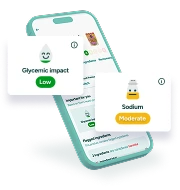
Bite Insight app showing a personalised protein rating

Get your insights

Bite Insight checks the product against your High Protein profile and shows what matters. The Protein rating, the full nutrition table, any added sugars and anything on your own avoid list.

A bowl of salad

Shop with confidence

Pick the products that give you the most protein for the least sugar, without doing sums in the aisle.

Where you shop

Use it in the supermarkets you already go to

Bite Insight works with food from the big UK supermarkets, own-brand ranges included. If you shop in the UK, pick your supermarket in the app and swaps from that shop are shown first.

  • Tesco
  • Sainsbury’s
  • Asda
  • Morrisons
  • Aldi
  • Lidl
  • Waitrose
  • Co-op
  • M&S

Bite Insight isn’t linked to any of these supermarkets.

Start free. Upgrade when you’re ready.

The tools for checking protein while you shop are free. Protein ratings, ingredient flags and the full nutrition table on every scan.

Select a version

Everything you need to find the protein and spot the added sugar while you shop.

Bite Insight includes

Protein rating Low, Moderate, High, Very High

Personalised warnings based on your High Protein profile

Full nutrition breakdown including protein, sugar and calories on every scan

200,000+ UK food and drink products

Free

No subscription or payment details required.

Get the free app

Extra tools for planning meals and shopping for the whole household.

Bite Insight+ includes

Flag anything else you’d rather skip
Family profiles so you can scan for others too
Global barcode scanning
Access to over 4.9 million products worldwide
Plan your meals for the week with the meal planner
Plus everything in the Free version
£3.99/ month

Subscription renews automatically. Cancel anytime.

Upgrade to Bite Insight+

Common questions

About using Bite Insight to eat more protein.

Yes. Bite Insight is a free app that scans UK supermarket food and shows the protein per 100g with a Protein rating from Low to Very High. Add High Protein to your profile and that rating comes first, the Nutrition tab sets a higher bar for protein, and added sugars like glucose syrup and maltodextrin are flagged. There’s no scan limit on the free version.

The UK reference is 0.75g of protein per kg of body weight a day, about 45g for an average woman and 55g for an average man. That’s a minimum to avoid running short, and most UK adults already eat more. The British Dietetic Association suggests 1 to 1.2g per kg for adults over 65, and people doing regular strength training often aim higher still.

It means at least 20% of the food’s calories come from protein. “Source of protein” means at least 12%. Neither claim limits sugar, fat or calories, so a high protein snack can still be sweet. Check the sugars per 100g on the back as well.

It uses the protein per 100g on the label. Under 5g is Low, 5g up to 10g is Moderate, 10g up to 20g is High and 20g or more is Very High. More protein is better here, so High and Very High show in green. It doesn’t look at serving size, so allow for how much you’ll eat.

Some are and some aren’t. Compare the protein with the calories: multiply the protein by 4 and divide by the calories to see what share comes from protein. Check the sugars too, and look for polyols like maltitol, which can upset your stomach. Plain foods like eggs, tuna, lentils and Greek-style yoghurt often give you more protein for less.

No. It rates each product from its protein per 100g so you can compare foods while you shop. It doesn’t keep a food diary or a daily total. The Nutrition tab shows protein, calories, sugar and the rest for every product you scan.

Yes. You can add as many conditions, allergies and diets as you need, and every scan takes them all into account. The app warns you if High Protein clashes with something else in your profile. It does this for chronic kidney disease, where protein is often kept down, and for gout, where a meat-heavy diet can make flares more likely.

No. Bite Insight gives food information to help you choose in the shop. It isn’t a substitute for advice from your GP or a dietitian. If you have a long-term condition, are pregnant or are recovering from illness, ask them how much protein is right for you.