Nut Allergy

Check food for peanuts and tree nuts while you shop

Scan the barcode with Bite Insight, a free app for UK supermarket food, and it checks the ingredients and allergen info for the nut allergies in your profile. You’ll see a red Warning if your nut is listed and an amber card for "may contain" traces. It works from product data, which can be out of date, so read the pack before you eat anything.

Food shopping with a nut allergy
carries real stakes

Nuts and nut derivatives hide in products you would never expect. And with cross-contamination risks spread across thousands of products, the stakes of missing something are high.

0
Of UK children have a tree nut allergy

Allergy UK puts it at around 2% of children and 0.5% of adults. It usually starts before the age of 5, and it’s uncommon to grow out of it.

0
Allergens regulated by UK food law

Peanuts and tree nuts are two of them. On prepacked food they must be emphasised in the ingredients list, often in bold. “May contain” warnings aren’t a legal requirement, so the wording varies.

0
Of children with a peanut allergy also have a tree nut allergy

That’s Allergy UK’s estimate. Peanuts are a legume, a different plant family from tree nuts, but the two allergies often turn up together. It’s why the app shows a Caution card when a product has the other kind.

Quick guide

How to check a food for nuts in the aisle

UK law says peanuts and tree nuts must be emphasised in the ingredients list of prepacked food, often in bold. "May contain" lines work differently. There’s no legal requirement to use them, and the wording varies from brand to brand. The app can do a first check, but the pack in your hand has the final say.

With Bite Insight

Let the app do the first check

  1. Add your nut allergy to your profile

    Pick Peanut Allergy, Tree Nut Allergy or both under Allergies when you sign up, or later in settings. Those are the only two nut options, so you can’t choose a single nut like cashew there. With Bite Insight+ you can add individual nuts to your own list of ingredients to flag.

  2. Scan the barcode

    If the ingredients or allergen info list your nut, a red Warning card sits at the top of the results and the matching ingredients are marked as harmful. Traces get an amber May contain card. If you have one nut allergy and the product has the other kind of nut, you get a teal Caution card. With no ingredient list or allergen info, it tells you it couldn’t check.

Scan your first product free
What a scan can tell you
  • WarningA nut you’re allergic to is in the ingredients or allergen info
  • CautionIt has the other kind of nut, like almonds when you have a peanut allergy
  • May containTraces from the product data or a "may contain" line
  • Not checkedNo ingredient list or allergen info, so check the pack

No card doesn’t mean nut-free. Read the pack.

Checking the pack yourself

Four checks on the pack

Read the bold words in the ingredients

The FSA says the 14 allergens must be emphasised in the ingredients list of prepacked food. It’s often bold, but italics or colour are allowed too. Peanuts and tree nuts are separate allergens, so look for the one you react to.

Know the other names for peanut

Allergy UK lists groundnuts, monkey nuts and Arachis hypogaea as other names for peanut. It also says it’s hard to be sure refined peanut oil has been refined enough, and advises avoiding it too.

Don’t read too much into a missing warning

The FSA says there’s no legal requirement to put "may contain" on food. A pack without that line isn’t proof it’s nut-free. Ask your allergy team whether you need to avoid products that do carry it.

Ask about loose and café food

Food sold loose or served in a café won’t have a barcode for the app to scan. The FSA says the business must give you allergen information. For loose food it can be written down or told to you. Food packed on site, like a sandwich made in store, must have a full ingredients list.

Coconut, pine nuts and chestnuts

The FSA’s tree nut list names almonds, hazelnuts, walnuts, Brazil nuts, cashews, pecans, pistachios and macadamia nuts. Allergy UK says coconut doesn’t need to be avoided, and most people with a nut allergy don’t need to avoid pine nuts either. Bite Insight is stricter. It counts coconut, chestnut and pine nut as tree nuts, so you may get warnings for them, and a peanut allergy profile will get a Caution card for coconut. Ask your allergy team what you actually need to avoid.

Where nut information sits on a UK label

Peanuts and tree nuts

Where to find it
Ingredients list on prepacked food
What to look for
Emphasised words, often in bold. Look for peanuts, or the name of the tree nut, like almonds or cashews.

May contain warnings

Where to find it
Near the ingredients list, if the maker adds one
What to look for
Not a legal requirement, so wording varies. No warning doesn’t mean no risk.

Peanut oil

Where to find it
Ingredients list, and on medicines
What to look for
Groundnut oil, or arachis oil on medicines. Allergy UK advises avoiding refined peanut oil too.

Food packed where it’s sold

Where to find it
Sandwiches, salads and bakery items made and packed in store
What to look for
Since October 2021 these need a full ingredients list with allergens emphasised.

Loose food and eating out

Where to find it
Menu, a sign on the counter, or staff
What to look for
The business has to give you allergen information. Ask before you order.

Imported food

Where to find it
Products made outside the UK and EU
What to look for
Allergy UK says food from outside the EU doesn’t have to highlight peanut as an allergen, so read every line.
Under the hood

How Bite Insight works this out

There’s no score here. The app looks at the allergen tags and ingredient list held for the product, plus any "may contain" line, and matches them against the nut allergies in your profile. It knows common other names, like groundnut and arachis oil for peanut, or marzipan and praline for tree nuts. Words like nutmeg and water chestnut are ignored. It only uses the product name when there’s no ingredient list. Its tree nut list is wider than the FSA’s, because coconut, chestnut and pine nut count too. It never tells you a product is nut-free.

Bite Insight gives general food information, not medical advice. It works from product data, which can be wrong or out of date, so read the pack every time. If you’ve been prescribed adrenaline, the NHS says to carry 2 auto-injectors with you at all times. Ask your GP or allergy clinic which nuts you need to avoid, and whether "may contain" products are OK for you.

Built around your allergy

Bite Insight does not give everyone the same results. Add your nut allergy to your profile once and every scan checks for it.

Allergen Warning

Allergen warnings

If a product lists a nut you’re allergic to, a red Warning card sits at the top of the results. The app checks the ingredients and allergen info, including other names like groundnut or marzipan. Scan warnings cover the allergies in your profile, not all 14.

Your allergies
Peanuts
Listed Warning
Tree Nuts
Traces May contain

Personalised allergen alerts

Choose Peanut Allergy, Tree Nut Allergy or both. Traces get an amber May contain card. If you have one of the two and the product has the other kind of nut, you get a Caution card. When there’s no ingredient list or allergen info, the app says it couldn’t check.

Flag feature preview, decorative

Flag individual nuts to avoid

plus

The profile only offers Peanut Allergy and Tree Nut Allergy. If you react to one nut, say cashews, add it to your own list of ingredients to flag. You’ll see an orange Flagged card whenever it turns up.

Feature spotlight

The cards you’ll see after a scan

There’s no allergen score. Instead the app shows a card for each thing it finds that matters to your nut allergy, at the top of the results.

No card Nothing in the product data matched your allergy. That isn’t a nut-free verdict, so read the pack
May contain Traces from the product data or a “may contain” line in the ingredients
Caution The product has the other kind of nut, like almonds for someone with a peanut allergy
Warning A nut you’re allergic to is in the ingredients or allergen info
Allergen check icon, decorative

From scan to confidence in seconds

A quick first check in the aisle. The pack still has the final say.

Scanning a food product barcode with a smartphone

Scan the label

Point your camera at the barcode on a packet, in the shop or at home.

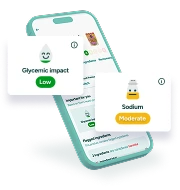
Bite Insight app showing personalised allergen warnings

Get your insights

Bite Insight checks the ingredients and allergen info against your nut allergy and puts any warnings at the top.

A bowl of salad, decorative

Check the pack

Read the pack for anything the app flagged, and for anything it couldn’t check.

Real experience

“My son has a severe peanut allergy. The stress of food shopping never goes away completely, but Bite Insight has genuinely made it so much easier. That peace of mind is worth a lot.”

Tom

Peanut allergyParent of a child with a peanut allergy

Start free. Upgrade when you’re ready.

The core allergen tools are completely free. Full allergen checks, personalised alerts, and complete ingredient breakdowns on every scan.

Select a version

Everything you need to start shopping more safely with a nut allergy.

Bite Insight includes

Allergen risk indicator No Risk, Cross-Contamination, Contains, High Risk

Personalised allergen alerts based on your specific allergy profile

Full ingredient breakdown on every scan

200,000+ UK food and drink products including popular restaurants

Free

No subscription or payment details required.

Get the free app

Extra tools for people who want complete control over what goes in their basket.

Bite Insight+ includes

Flag specific allergens to always avoid
Family profiles so you can scan for others too
Global barcode scanning
Access to over 4.9 million products worldwide
Plan your meals for the week with the meal planner
Plus everything in the Free version
£3.99/ month

Subscription renews automatically. Cancel anytime.

Upgrade to Bite Insight+

Common questions

About using Bite Insight with a nut allergy.

Bite Insight is a free UK app built for this: scan a barcode and it checks the ingredients and allergen info for the allergies in your profile. Add Peanut Allergy, Tree Nut Allergy or any other allergies when you sign up. A red Warning shows if the product lists your allergen, and an amber card covers "may contain" traces. There’s no scan limit. Check the pack by hand too. Look for the emphasised allergens in the ingredients list and any "may contain" line, because product data can be out of date.

It depends on your allergy, so ask your allergy team. The labelling side is simpler. The FSA says there’s no legal requirement to put "may contain" on food, so wording varies and a pack without the warning isn’t proof it’s nut-free. Peanuts and tree nuts used as ingredients must be emphasised in the ingredients list of prepacked food. Bite Insight shows "may contain" traces as their own amber card.

Not automatically. Peanuts are a legume, a different plant family from tree nuts. But Allergy UK says around 30 to 40% of children with a peanut allergy also have an allergy to at least one tree nut. Your allergy specialist can tell you which nuts are fine for you. If your Bite Insight profile has only one of the two nut allergies, the app shows a Caution card when a product has the other kind.

Yes. Choose Peanut Allergy, Tree Nut Allergy or both under Allergies during onboarding, or change them any time in settings. Each scan then checks the ingredients and allergen info for those nuts. You get a red Warning card if one is listed, an amber card for “may contain” traces, and a Not checked card if there’s no ingredient list or allergen info.

Yes, for the common ones. The app matches other names such as groundnut and arachis oil for peanut, and marzipan, praline and gianduja for tree nuts, along with nut oils, butters and pastes. It works from the ingredient text, so a nut hidden behind a vague word like “flavouring” may not be caught. Read the pack too.

Yes. If the product data lists traces, or the ingredients include a “may contain” sentence, you’ll see an amber May contain card. The app only sees what’s in the product data. If a pack mentions a shared factory and that isn’t in the data, the app won’t know, so check the pack.

Partly. The profile has two nut options, Peanut Allergy and Tree Nut Allergy, so you can’t pick a single tree nut there. With Bite Insight+ you can add individual nuts, like cashew, to your own list of ingredients to flag. You’ll then see an orange Flagged card when one turns up.

Bite Insight is a food information tool, not a medical device. It checks product ingredient data and surfaces allergen information to help you make informed decisions. It should be used alongside careful label reading, not as a replacement for it. If you have a severe allergy or a history of anaphylaxis, always read labels carefully and follow the guidance of your allergist or immunologist.