



Find the saturates line
On UK labels saturated fat is listed as ’saturates’, under fat. The NHS counts more than 5g per 100g as high and 1.5g or less as low. Anything in between is medium, which shows as amber on a front-of-pack traffic light.
Add High Cholesterol to your Bite Insight profile, then scan the barcode on UK supermarket food. You’ll see a saturated fat rating from Low to Very High, and the app flags ingredients like butter, cream, palm oil and hydrogenated fat. The rating is worked out per 100g and only covers saturated fat, so allow for your portion and read the rest of the label too.

Most people with high cholesterol feel completely fine. That is what makes it so easy to underestimate. And without the right tools, eating to lower it takes real nutritional knowledge.
The NHS says high cholesterol doesn’t usually cause symptoms. You can only find out from a blood test, so plenty of people feel fine and don’t know they have it.
Go over it and the food counts as high in saturated fat, which is red on a front-of-pack traffic light. 1.5g or less per 100g is low, and anything in between is medium.
The NHS says men shouldn’t have more than 30g of saturated fat a day, and women no more than 20g. That covers everything you eat, so one rich meal can use a big share.
To lower cholesterol, the NHS advises eating less food that’s high in saturated fat. On a UK nutrition table it’s called ’saturates’ and sits just under fat. It’s still easy to miss in sauces, pastry and biscuits. The app can check it for you, or you can read the pack yourself.
Pick it under health conditions when you sign up, or add it later by editing your profile. From then on, each scan shows a saturated fat rating under Important for you. It’s the only rating this condition adds, so if it’s the only one on your profile you’ll see it as a single card.
You get a rating from Low (green) to Very High (red), worked out from saturated fat per 100g. Further down, under Flagged ingredients, the app lists anything the profile watches for, such as butter, cream, lard, palm oil or hydrogenated fat. The Nutrition tab shows fat and saturated fat too, with traffic lights set stricter for high cholesterol.
 Low
 Moderate
 High
 Very High
Worked out per 100g, so allow for your portion.
On UK labels saturated fat is listed as ’saturates’, under fat. The NHS counts more than 5g per 100g as high and 1.5g or less as low. Anything in between is medium, which shows as amber on a front-of-pack traffic light.

The NHS says men shouldn’t have more than 30g of saturated fat a day, and women no more than 20g. The per portion column helps you keep track, but the NHS points out that the maker’s idea of a portion may be different from yours.

Ingredients are listed in order of weight, so a fat near the start makes up more of the product. Look for butter, ghee, lard, cream, palm oil and coconut oil. The NHS lists all of these among foods high in saturated fat.

The NHS suggests cutting down on fat overall and replacing some saturated fat with unsaturated fat. That could mean olive or rapeseed oil instead of butter, or oily fish such as salmon or mackerel. It also suggests more wholegrains, like brown rice, wholegrain bread and wholewheat pasta.
Trans fats can come from partially hydrogenated vegetable oil. The NHS says most UK supermarkets have taken it out of their own-brand products, and that hydrogenated vegetable oil has to be named in the ingredients if it’s used. So the ingredients list is the place to look. Bite Insight flags hydrogenated and partially hydrogenated fats for this profile automatically.


The saturated fat rating comes from one number: the saturates figure per 100g in the product’s nutrition data. More saturated fat means a higher level. Low shows green, Moderate and High both show orange, and Very High shows red. It doesn’t look at trans fat or total fat, and it doesn’t allow for your portion. If a product has no saturated fat figure, the rating won’t appear. Fats like butter, palm oil and hydrogenated oil are picked up separately, from the ingredients list. The four levels are the app’s own. NHS traffic lights use three, with 1.5g or less per 100g counted as low and more than 5g as high, so the app’s level won’t always match the colour on the pack.
The saturated fat rating and the automatic flags for butter, cream, palm oil and hydrogenated fat are both free. Compare Free and Bite Insight+
Bite Insight gives general food information, not medical advice. The saturated fat rating is worked out per 100g and doesn’t cover everything that affects cholesterol. If you’ve been told your cholesterol is high, ask your GP or practice nurse which changes suit you. The NHS says some people need medicine as well, so don’t stop or skip anything you’ve been prescribed. Your GP can also tell you whether seeing a dietitian would help.
Bite Insight does not give everyone the same results. Set your cholesterol profile once and every scan is filtered through your specific needs.
Every scan shows a saturated fat rating from Low to Very High, worked out per 100g. You can see where a product sits before it goes in the basket.
Add High Cholesterol to your profile and the fat and saturated fat traffic lights on the Nutrition tab get stricter. Butter, lard, palm oil, hydrogenated fat and similar ingredients are flagged whenever a product contains them.

Partially hydrogenated oils and palm oil are already flagged for free. With Bite Insight+ you can add your own, like cheese or anything else your GP has suggested cutting back on, and Bite Insight picks them out every time you scan.
The saturated fat rating looks at how much saturated fat a product has per 100g and puts it on a four-step scale. Low shows green, Moderate and High both show orange, and Very High shows red.
No more hunting through nutritional tables for the saturated fat figure.

Point your camera at any food barcode or label. In the supermarket, at home, or eating out.

Bite Insight checks the product against your profile. You get a saturated fat rating, flags for fats like butter, palm oil and hydrogenated oil, and anything on your own avoid list if you have Bite Insight+.

Make food choices that support your cholesterol goals without needing to do the nutritional maths yourself.
Real experience
“My GP told me my cholesterol was too high and to cut down on saturated fat. That sounds simple until you actually try to do it in a supermarket. Bite Insight makes it so much easier to compare products and make the right call without overthinking it.”
The core tools for managing cholesterol are completely free. Cholesterol impact ratings, saturated fat flags, and full nutritional breakdowns on every scan.

Everything you need to start eating more consciously with high cholesterol.
Barcode scanner (UK Supermarkets only)
Search over 200,000 food and drinks (including popular restaurants)
Full nutrition breakdown including saturated fat and trans fat on every scan
200,000+ UK food and drink products including popular restaurants
No subscription or payment details required.

Extra tools for people who want deeper control over what goes in their basket.


Subscription renews automatically. Cancel anytime.
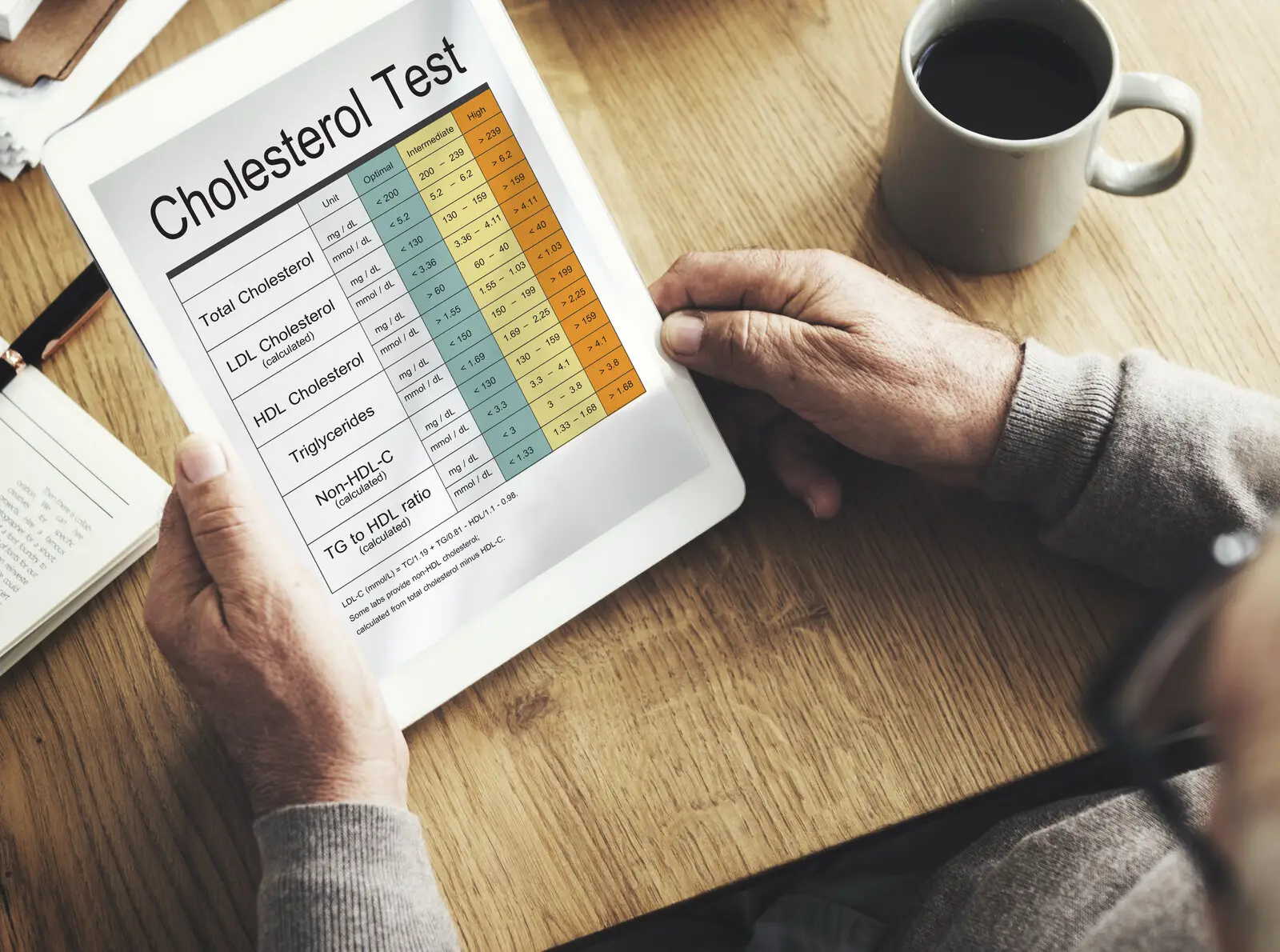
Nearly half of UK adults have raised cholesterol with no symptoms at all. Here's what the numbers mean and what genuinely helps.

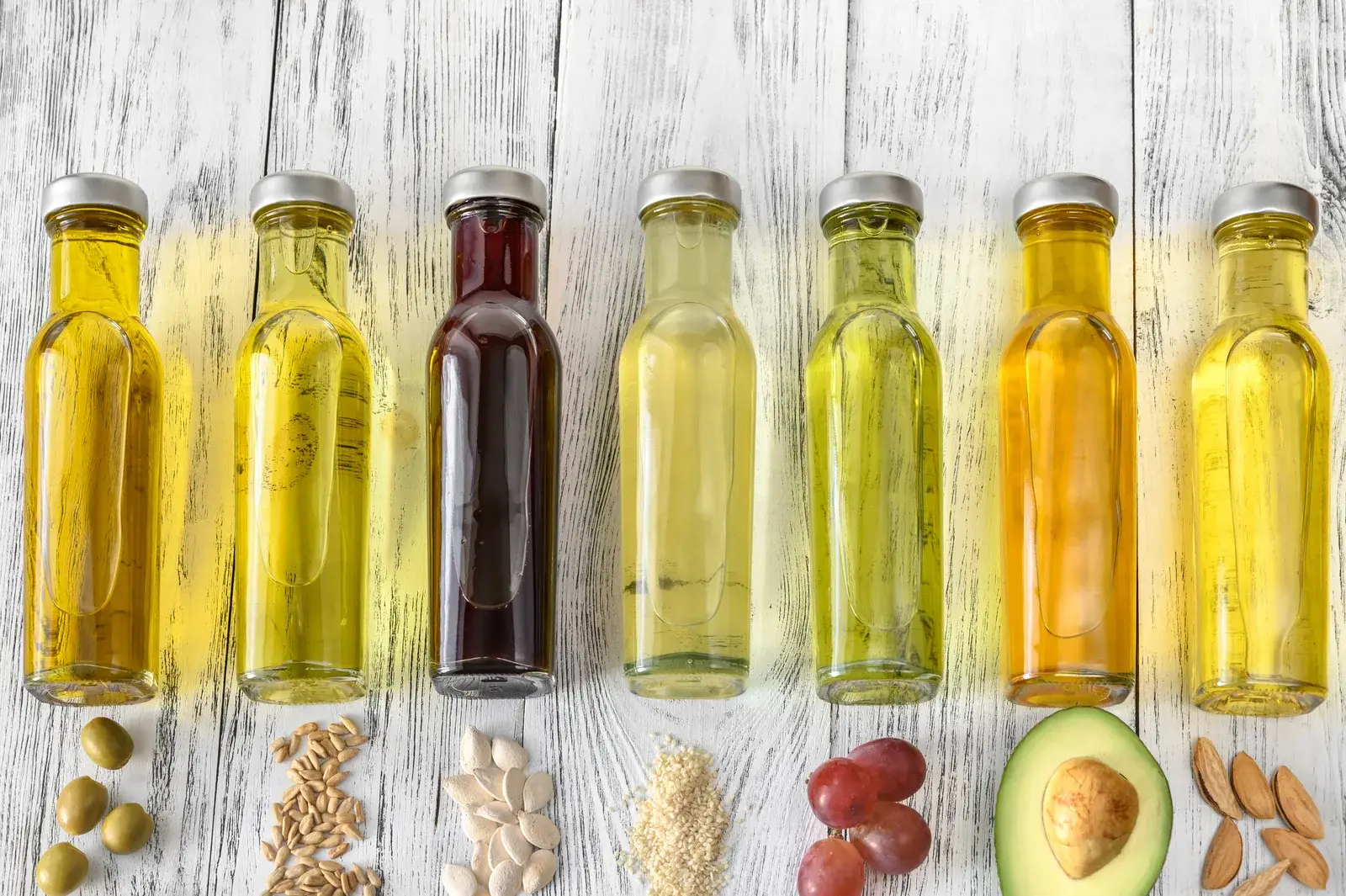
Sunflower oil, rapeseed, corn oil. If you follow wellness content online, you have probably seen them demonised as toxic. But is the fear grounded in evidence, or is this another case of social media turning something complicated into a soundbite? We looked at what the research actually shows.
Traffic lights, hidden salt and sugar claims. Here's how to read a UK food label properly, and what the 2026 rule changes mean for shoppers.
About using Bite Insight with high cholesterol.
Yes, Bite Insight is a free app that scans the barcode on UK supermarket food and rates its saturated fat from Low to Very High once you add High Cholesterol to your profile. The rating is worked out per 100g. It also flags ingredients like butter, cream, lard, palm oil and hydrogenated fat. It can’t decide what you should cut, so check the ’saturates’ line yourself too. The NHS counts more than 5g per 100g as high. Your GP or a dietitian can tell you which changes suit you.
The NHS says a food is high in saturated fat if it has more than 5g of saturates per 100g, and low if it has 1.5g or less. Anything in between is medium. For the whole day, the NHS says men shouldn’t have more than 30g and women no more than 20g. Use the per 100g column to compare products, then think about how much you’ll actually eat.
The NHS suggests eating less of meat pies, sausages and fatty meat, butter, lard and ghee, cream and cheese, cakes and biscuits, and food that contains coconut oil or palm oil. It suggests eating more oily fish like mackerel and salmon, olive and rapeseed oil, wholegrains, nuts, seeds, fruit and vegetables. On a pack, check the saturates figure and look for those fats in the ingredients.
Yes. Add High Cholesterol to your health profile and every scan shows a saturated fat rating from Low to Very High, worked out per 100g. Ingredients like butter, cream, lard, palm oil and hydrogenated fat are flagged too, and the fat and saturated fat traffic lights on the Nutrition tab get stricter.
It rates each product Low, Moderate, High or Very High from its saturated fat per 100g. The levels are Bite Insight’s own, not the NHS traffic lights, and the rating doesn’t allow for your portion. Trans fat isn’t part of it. The app picks that up from the ingredients instead.
Partly. Trans fats can come from partially hydrogenated vegetable oil, and the NHS says hydrogenated vegetable oil has to be named in the ingredients if it’s used. The High Cholesterol profile flags hydrogenated and partially hydrogenated oils, shortening and margarine automatically. If the product data has a trans fat figure, it shows in Nutrient Watch too, but UK products rarely have one.
Bite Insight shows you the full nutritional breakdown of every product you scan, including exact saturated fat content, making it much easier to compare similar products and choose the lower-fat option. Butter, palm oil and hydrogenated fats are already flagged for free. With Bite Insight+, you can add your own ingredients to flag on every scan.
No. Bite Insight provides educational food insights to help you make more informed choices. It is not a substitute for advice from your GP, cardiologist, or dietitian. Always follow the guidance of your healthcare team and use Bite Insight as a practical tool to support that at the point of purchase.

